What a travel CRM should track for tour operators and DMCs
The fields a tour operator or DMC CRM needs: trip dates, destination, price, proposal views, payment and owner. With a spreadsheet version and honest limits.
A travel CRM for a tour operator or DMC should track the trip, not only the contact. For every request, that means: when the trip runs, where to, for how many people and at what price; whether the client has opened the proposal; whether a payment is awaited or paid; who owns it; and what is waiting on whom. If your CRM cannot answer "which trips next month are still unpaid?" or "who opened the proposal and went quiet?", it is tracking the wrong things.
Below: the fields, how to find the trips that need you on real Wandero screens, and where a person still has to check.
Which fields does a travel CRM actually need?
A general CRM is built around a contact and a deal stage. Travel sales turn on a few more things, and most of them belong to the trip.
| Field | The question it answers | Where it should come from |
|---|---|---|
| Trip dates | Which trips run in the next 7 or 30 days? | The itinerary |
| Destination | Who is going to Georgia this season? | The itinerary |
| Group size and price | Which are the big trips this month? | The itinerary and the quote |
| Proposal sent | Has this request got a proposal at all? | The shared proposal or itinerary |
| Client viewed | Has the client opened it? Recently? | Views on the link you shared |
| Payment | Is a payment awaited, paid, or not requested yet? | The payment link |
| Owner | Who answers this client? Who helps? | The person working on it |
| Source | Which channel did the request come in on? | The channel itself |
| Waiting on | Is it waiting on us, the client or a supplier? | The last message and the last action |
Look at the last column. Almost nothing in it is typed into a CRM form. It already exists somewhere else: in the itinerary, the payment link, the inbox.
Why isn't a deal stage enough?
Because it is only as current as the last person who remembered to change it.
Our travel CRM page names the result: "the CRM and inbox disagree". When every status, note, owner and next action has to be copied back by hand, the record only stays current with team discipline.
So we treat the deal stage as a summary for people, and rely on signals that update themselves: does the request have an itinerary, did the client open it, is the payment paid. They stay current because they come from the work itself.
Step 3 is where a person decides: an advisor checks the trip and the price before the link goes out. The other fields come from the work itself.
How do you find the trips that need attention this week?
In Wandero, client conversations live as tasks in your workspace (older posts and screenshots call them sessions), and since version 2.6 you can filter tasks by the trip inside them. Click Filter at the top of your workspace:
- Itinerary finds tasks with or without an itinerary, trips that run in the next 7 or 30 days, this month, next month or on your own dates, and filters by price, group size or destination.
- Payment has three states: Awaiting payment, Paid and No payment requested.
- Client viewed shows whether the client has opened what you shared.
- Unread and Snoozed are one-click pills at the top of the menu, and Project has its own submenu.
Filter → Itinerary → Itinerary dates. Example with test data.
Each filter becomes a chip next to Filter, and you remove it with ×. Combine them, and a vague worry becomes a short list:
Trips to Georgia that clients have opened: three filters, three trips.
Three combinations we would run every Monday:
- Trips that are close and not paid: Itinerary → Itinerary dates → Next 30 days, plus Payment → Awaiting payment.
- Proposals that were read and then went quiet: Client viewed → Viewed, then scan the list for clients who have not written back.
- Requests that never got a proposal: Itinerary → No itinerary. Start with these.
The filters also apply to Needs you, the group at the top of the workspace that lists every task waiting for your answer, approval or decision, most urgent first. So "next month's unpaid trips that need me right now" is a real list, not a guess.
Without Wandero: a spreadsheet can hold the same fields. The hard part is not the columns, it is keeping them filled in. Put the trip start date, destination, pax, price, "proposal sent" date, "client opened" (yes/no), payment status and owner in one row per request, and sort by start date every Monday:
Client | Source | Owner | Trip start | Destination | Pax | Price | Proposal sent | Client opened | Payment | Waiting on
If you only add one column this week, add Waiting on (us, client or supplier). It tells you who has to move next.
How do you know a client actually read the proposal?
Track the link, not the attachment. Since version 2.5, when a client opens a proposal, itinerary or file you shared from Wandero, you get an alert straight away, with the trip, and whether it is a new visitor or a return visit. The workspace row shows when a client is viewing and how many views the link has, and the task's owner gets an email the first time someone other than its owners opens the link.
Open Analytics for a shared link to see the detail: views, unique visitors, average reading time, how far each visit scrolled, the time spent on each day and section, and what they clicked, such as downloading the PDF, opening the map or messaging you on WhatsApp. A map shows roughly where the link was opened.
This is the field that changes how you follow up. "They opened it three times, mostly the day with the hotel upgrade" is a better opening line than "Just checking in".
Who owns each request, and who can see it?
Two separate things, and a travel CRM should keep them apart.
Ownership is who answers the client. If you can see teammates' tasks, choosing someone under Owner also finds the tasks they collaborate on, and Match as narrows it to Owner only or Collaborator. That matters for a DMC where one person sells and another operates. We wrote about what it took to get several owners on one task right.
Visibility is who can open the record at all. The Organization Owner chooses, for each teammate, which tasks they see: Own tasks, Selected people or Whole organization. Separately, they set None, View or Manage for each company area, such as inventory, company files and payments. A freelance guide does not need to see your payment records.
Do you need to replace the CRM you already have?
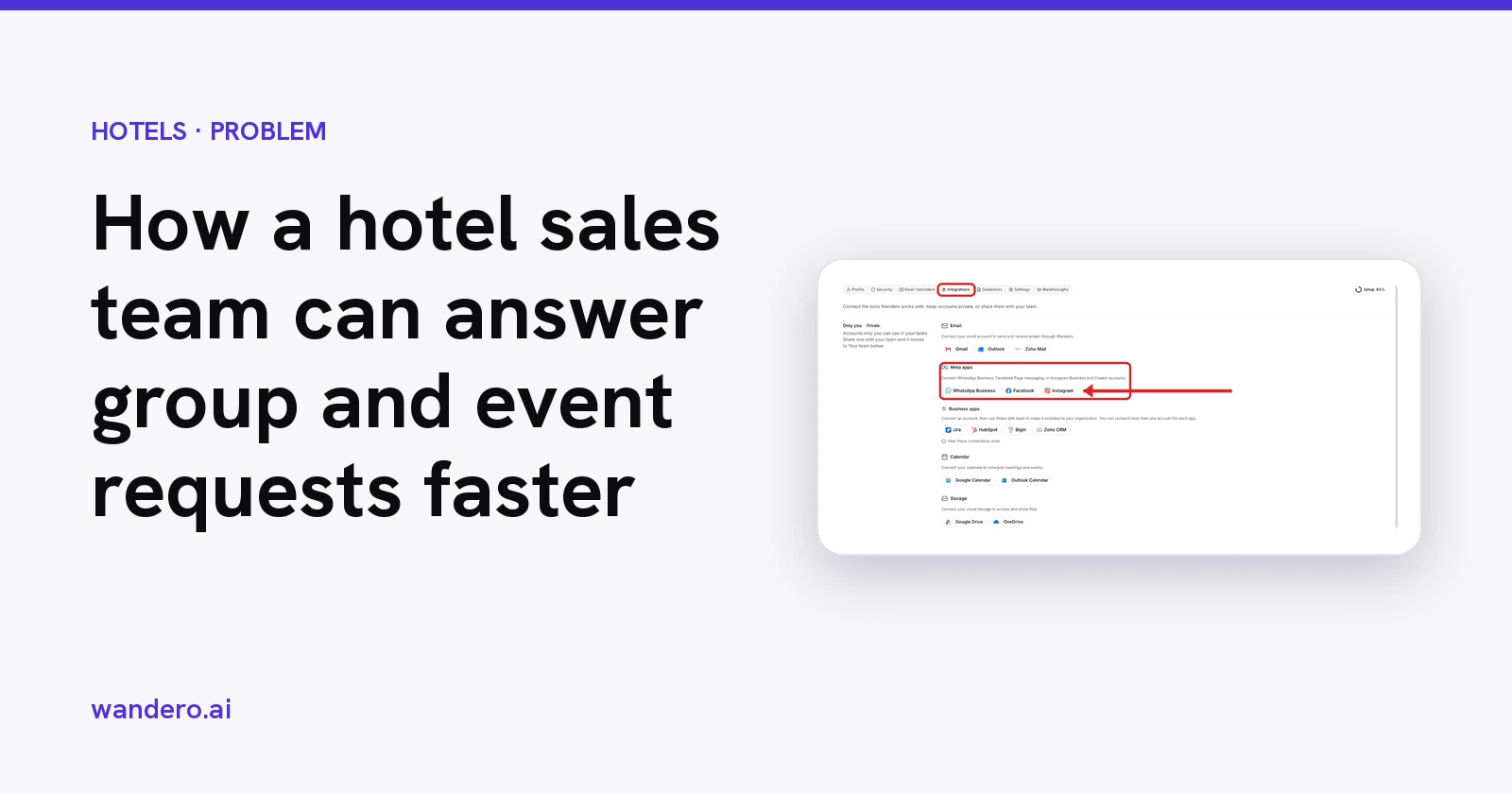
Not necessarily. Wandero has leads, deals, pipelines, owners, follow-ups and email campaigns of its own, but if your contacts live in HubSpot, Bigin or Zoho CRM, you can connect the app under Account Settings → Integrations → Business apps. What the agent can do differs by app, so check yours:
| App | What the agent can do |
|---|---|
| HubSpot | Find and update contacts, companies and deals |
| Zoho CRM | Look up and update records |
| Bigin | Look up records, and add or edit notes on them |
One detail: connecting an app there connects it just for you, and your own scheduled tasks and email replies can use it. For teammates to use it too, choose Share with team on the connected account. It then moves to Your team, further down the same page.
Where does a person still have to check?
- A view is not a yes. When you ask the agent about a share (Ask AI about this share), an example answer is that engagement is strong but not yet converting, with a suggested follow-up. That is a prompt to act, not a booking.
- Trip filters need an itinerary in the task. Dates, price and destination are itinerary filters, so check No itinerary too, or those requests stay out of view.
- Views only count on links you share. The signal is as complete as your team's habit of sharing a link rather than something else.
- A view is anonymous. It tells you the link was opened, not who opened it, and a teammate who opens the link counts as a visitor too.
- Messenger and Instagram have a clock. Meta lets businesses reply within 24 hours of the client's last message, so the Source filter for those channels is worth checking daily, not weekly. The travel inbox automation page shows how those messages arrive.
Common questions
Can I see which requests need my reply first? In Wandero, yes. Needs you, at the top of the workspace, lists every task waiting for your answer, approval or decision, most urgent first, and the workspace filters apply to it too.
Can a CRM tell me if a client opened my proposal? Yes, if the proposal is a link that tracks views. In Wandero, shared itineraries and files show views, reading time and the sections read, and you get an alert when the client opens one.
Can a client pay a deposit first? In Wandero, yes, once your company's Stripe account is connected. Choose Deposit + remaining balance under Payment collection (a percentage or a fixed amount). The client pays the deposit through Stripe on the same link, and the link then asks for the remaining balance.
Can each salesperson see only their own clients? In Wandero, yes. The Organization Owner sets which tasks each teammate sees: Own tasks, Selected people or Whole organization.
Next step
Start with three fields: trip date, payment state and who the request is waiting on. The rest can follow.
What is Wandero explains how the workspace keeps these fields filled from the work itself. To see it on your own trips, book a demo and bring a week of your requests.